A leasing map that shows every available unit
Commercial leasing software should show the space, not only list it. VemLease puts your available units on an interactive 3D map that the leasing team presents from and a prospect can open from a link.
A 30 minute demo with a local Vemco team. Company email, no commitment.
Static floor plans slow the deal down
A prospect wants to know where the unit is, who the neighbours are and how people reach it. A PDF from last quarter does not answer that.
The current plan, every time
The map is updated when a unit changes status, so nobody presents an old plan in a meeting.
Context for the prospect
Neighbouring tenants, entrances and floors are in view, so a prospect understands the location without a second visit.
A link instead of a design request
Share the map as a link. No new brochure has to be drawn each time a unit becomes available.
From available unit to shared link
The map is built from your floor plans. The unit data comes from VemLease, through the Vemco platform.
1. Units on the map
Each unit is shown with its status, area and category, floor by floor.
2. Filter to what the prospect needs
Show available units only, or narrow by size and category during the meeting.
3. Share a prospect view
Prospects and brokers open a view with only the details you choose to share. No account is needed.
4. Add footfall where you count
Where Vemcount counts visitors, footfall per entrance can be shown on the same map.
The maps are built with Mappedin, our indoor mapping partner. No sensors or other hardware are needed for the map.
One map, used by more than the leasing team
Stacking plan
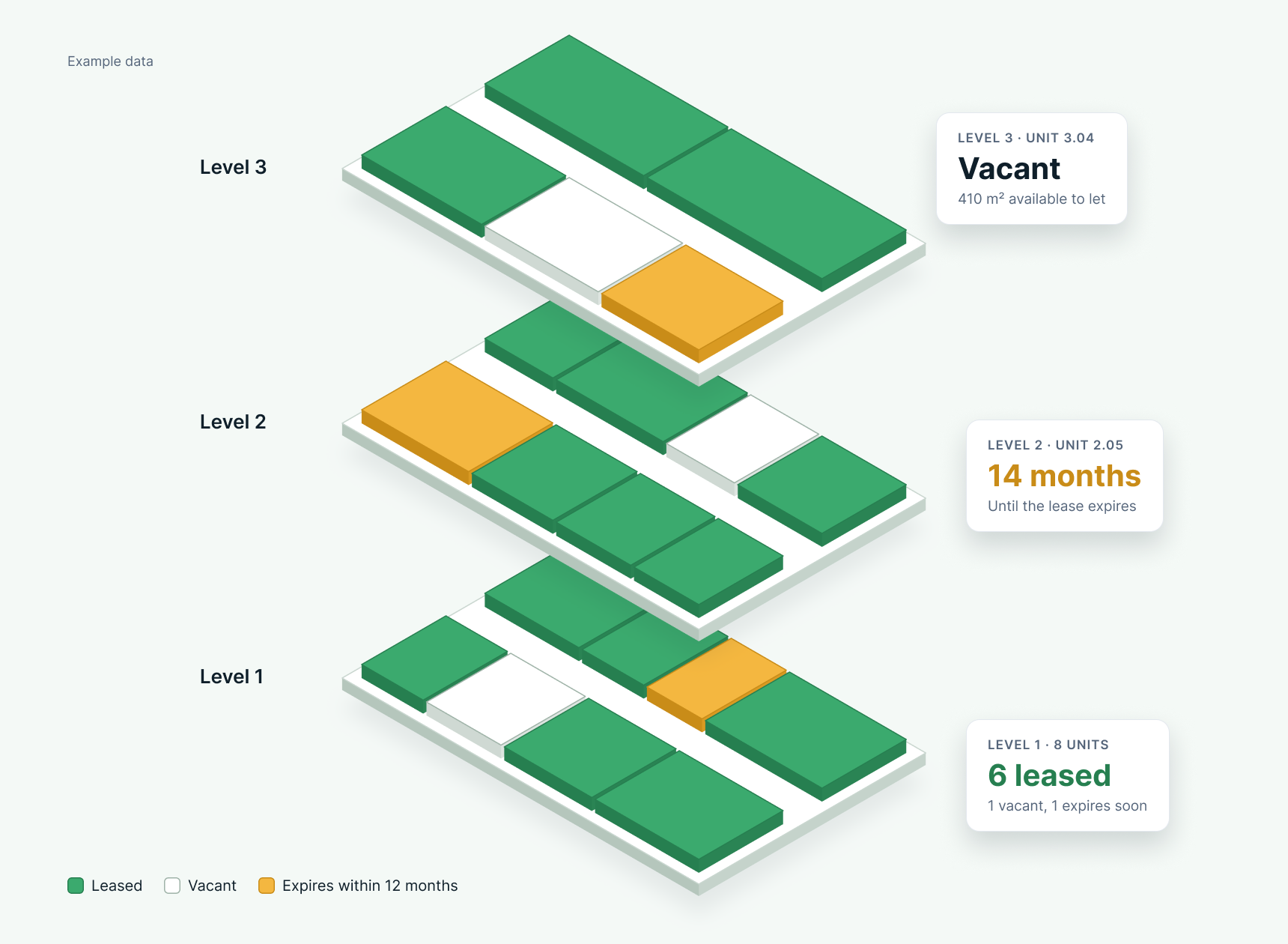
Every floor with lease status, vacancy and expiry year for asset managers.
Facility and asset maps
Equipment rooms, shut-off points and fire equipment marked on the building.
Leasing maps: common questions
What is a leasing map?
A leasing map is an interactive map of a property that shows each unit with its status, area and category. Leasing teams use it to present available space, and prospects use it to see where a unit sits in the building.
Who sees what on the map?
The leasing team works in an internal view with the full unit details. Prospects and brokers get a separate view that shows only the details you choose to share.
Where does the unit data come from?
From VemLease, through the Vemco platform. Each unit on the map is linked to its record in VemLease, and the connection is set up with you as part of the project.
Do prospects need an account?
No. The prospect view opens in a web browser from a link you send.
See your available units on a map
A 30 minute demo with a local Vemco team. Company email, no commitment.